Season Tickets
Season tickets allow long term parking in surface car parks without the need to purchase a daily pay and display ticket either from a ticket machine or through the PaybyPhone cashless parking app.
Season tickets can be purchased quarterly or yearly through a MiPermit account.
The prices for a season ticket vary depending on location and are displayed on the MiPermit portal when making an application.
Only your vehicle registration and a debit / credit card is required for you to purchase a season ticket.
If purchasing 2 or more season tickets at the same time, please contact MiPermit on 0345 520 7007 on option 4 for a 10% discount. This offer only applies to the 12 month duration.
Help Applying for a Season Ticket
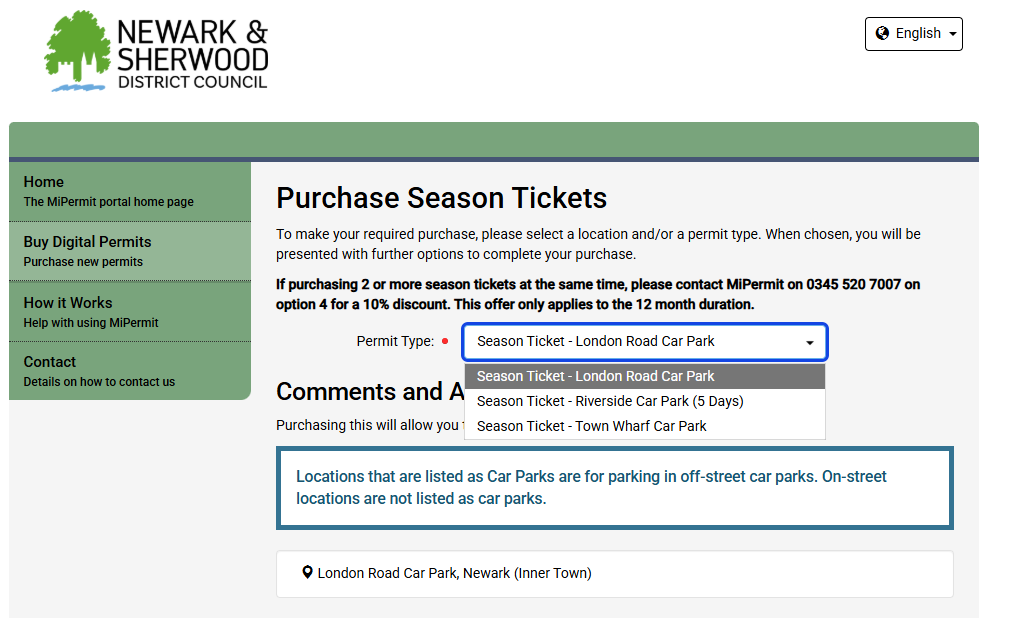
Select the car park you want to purchase a season ticket for.
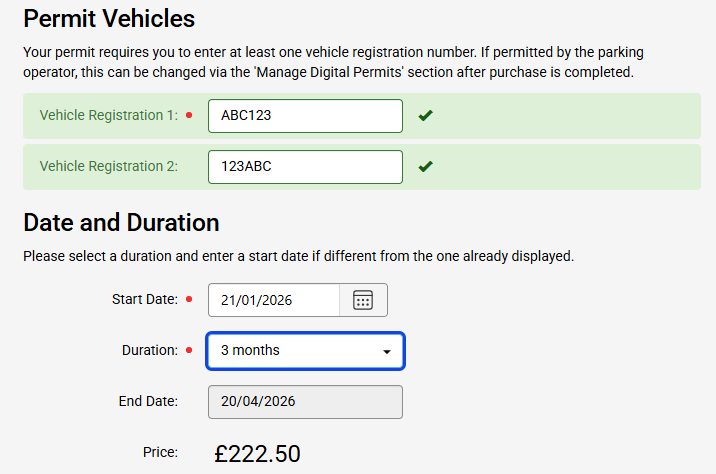
Enter your registration details, choose when you would like your virtual permit to start and how many months you would like to purchase.
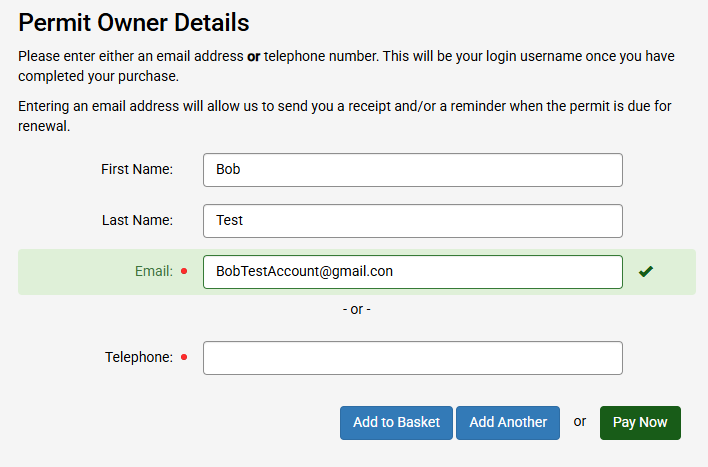
Select you as the logged in account holder to be the virtual permit holder. As the account holder you are responsible for managing all permits registered to your account.
Click the terms and conditions to open them in a new window and check the box to agree.
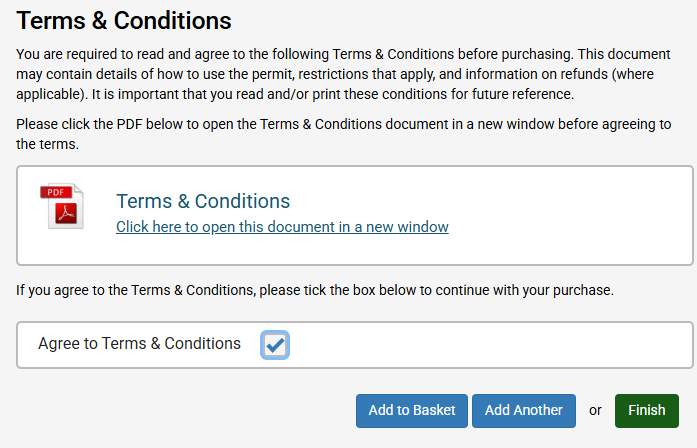
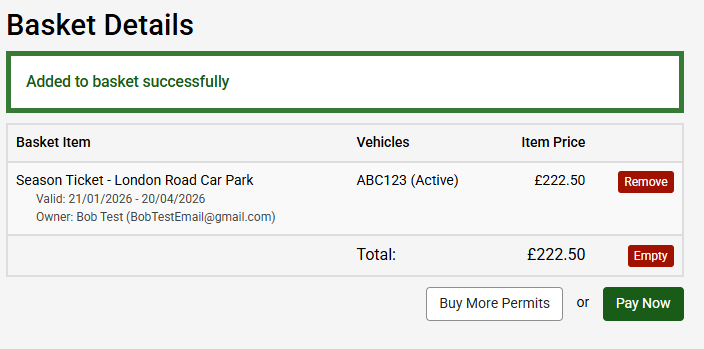
Choose to finish the application now to activate your virtual permit, or add to your basket to check out at your convenience.
Managing your Season Ticket
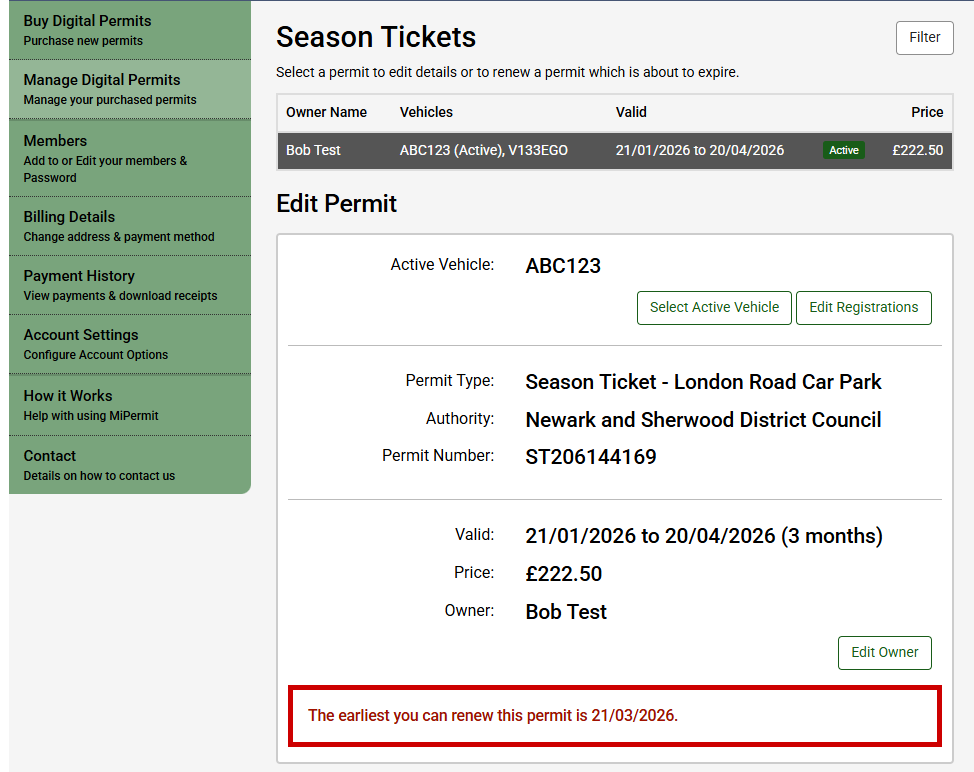
You can edit the vehicle registrations on your season ticket at any time under the 'Manage Digital Permits' section. You can do this in several ways:
- Login to MiPermit portal, select ‘Manage Digital Permits, and then ‘Season Tickets’. Choose the permit you want to update and select 'Edit Registration' to change the any of the vehicles registration.
- Login to the MiPermit smartphone app, select Permits from the menu, then choose the permit you want to update. Select 'Edit' to change any of the vehicles registrations.
- Call MiPermit on 0345 520 7007
Please note if you’ve added two vehicle registration numbers to your permit you need to activate the required vehicle on the permit when each vehicle is parked. You can do this in several ways:
- Login to MiPermit portal, select ‘Manage Digital Permits, and then ‘Season Tickets’. Choose the permit you want to update and 'Select Active Vehicle' to change the active vehicle on the permit.
- Login to the MiPermit smartphone app, select Permits from the menu, then choose the permit you want to update. Select 'Edit' to change the active vehicle on the permit.
- Call MiPermit on 0345 520 7007