Staff & Partner Permits
Staff & Partner parking permits are valid for use in Castle House 3, Riverside Arena and Riverside only. If you are required to pay a £1 daily charge this must also be in place at the start of your parking session.
If you'd like to apply for a staff or partner parking permit, please contact the parking services team via email parkingservices@newark-sherwooddc.gov.uk or via telephone on 01636 655721.
Help Applying for your Staff & Partner Parking Virtual Permit
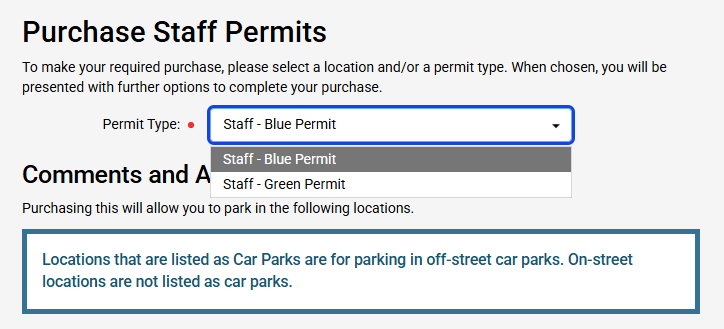
To purchase a virtual staff or partner permit select the permit type you want to apply for.
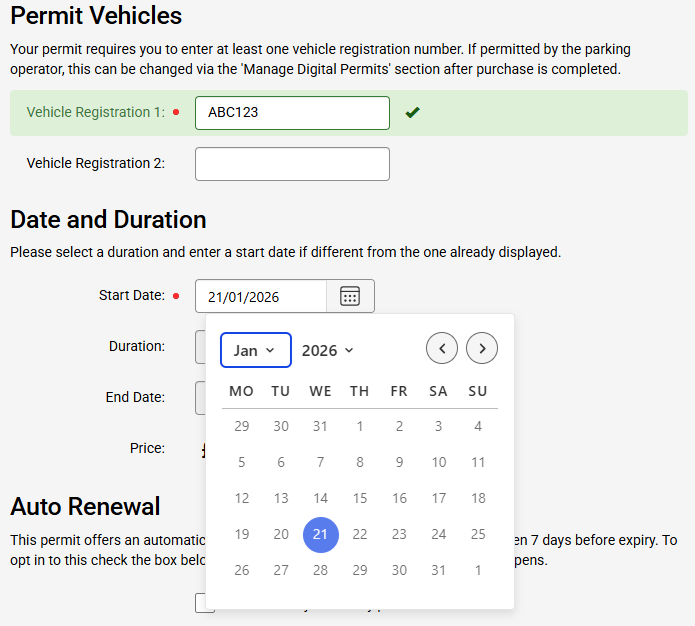
Enter the registration you want the virtual permit for and the date you want it to start from. This cannot be more than 30 days in the future.
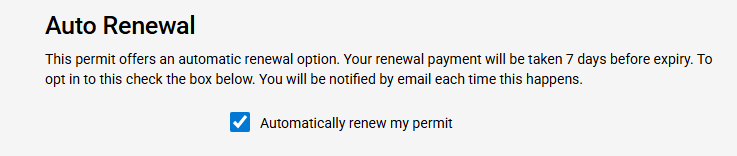
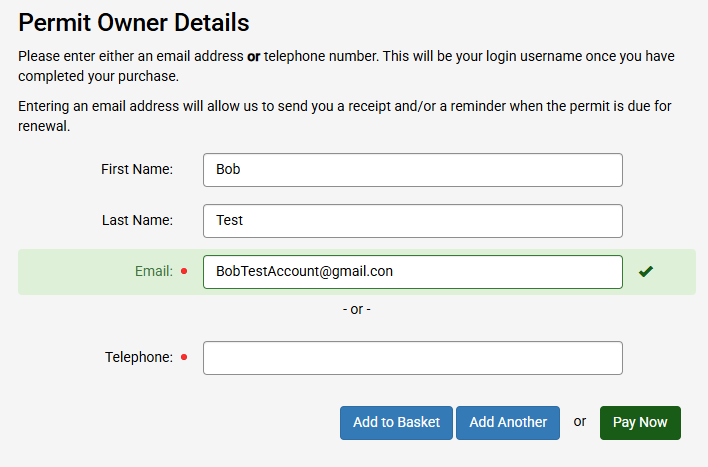
Choose whether or not you want your virtual permit to renew automatically and select the logged in user, or add another person as the virtual permit owner.
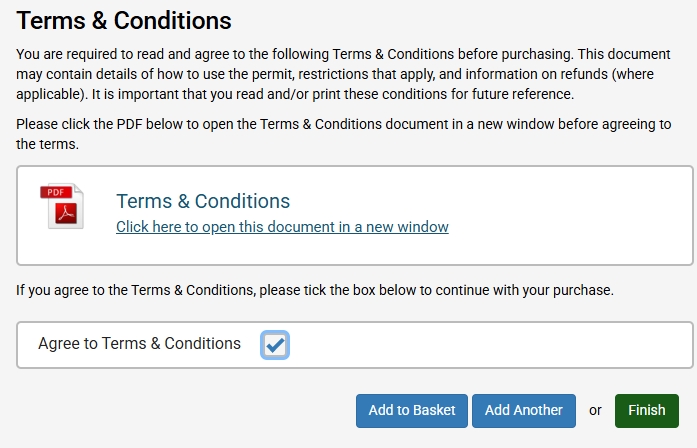
Click the terms and conditions to open them in a new window and check the box to agree.
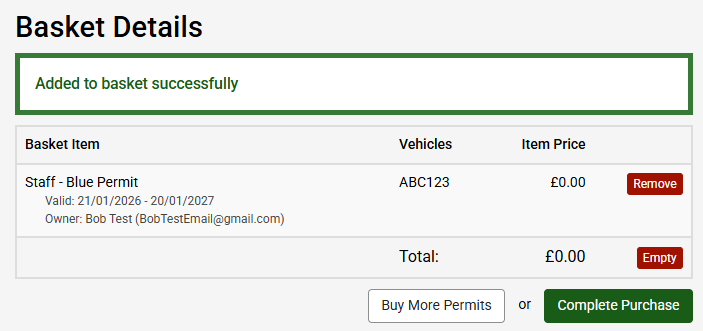
Choose to finish the application now to activate your virtual permit, or add to your basket to check out at your convenience.
Managing your Staff & Partner Permits
You can edit the vehicle registrations on your staff or partner permit at any time under the 'Manage Digital Permits' section. You can do this in several ways:
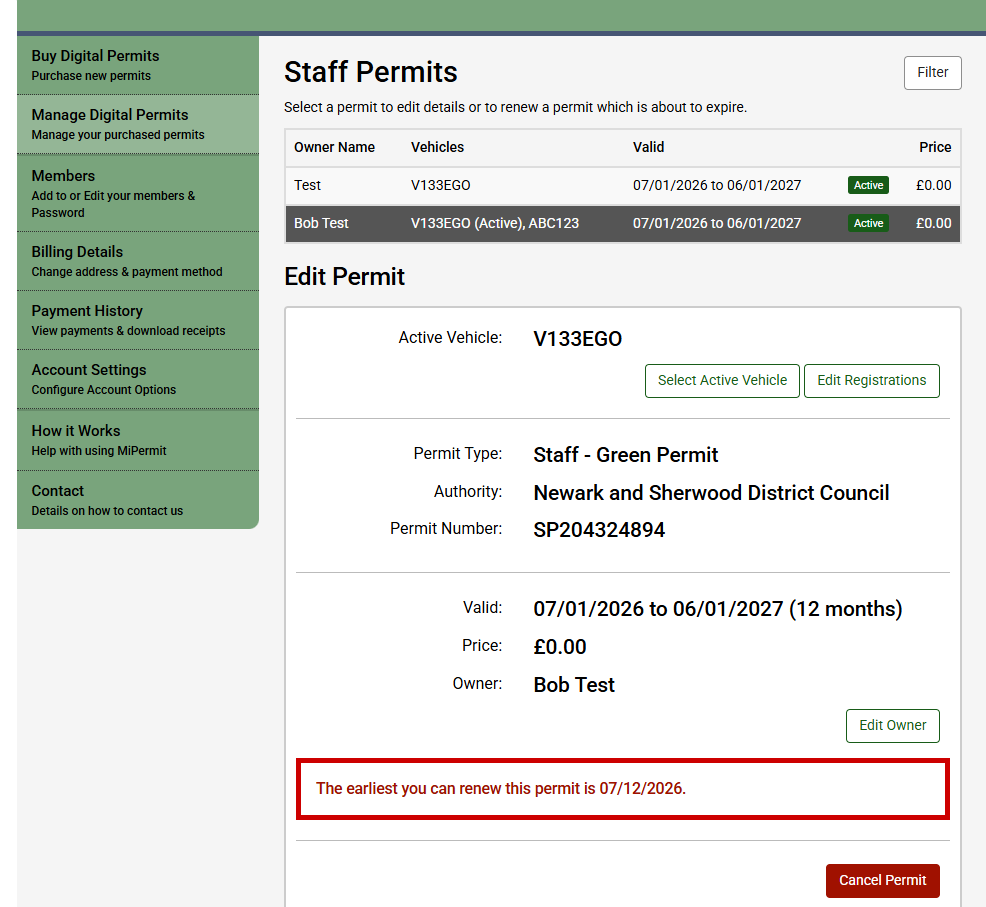
- Login to MiPermit portal, select ‘Manage Digital Permits, and then ‘Staff & Partner Permits’. Choose the permit you want to update and select 'Edit Registration' to change the any of the vehicles registration.
- Login to the MiPermit smartphone app, select Permits from the menu, then choose the permit you want to update. Select 'Edit' to change any of the vehicles registrations.
- Call MiPermit on 0345 520 7007
Please note if you’ve added two vehicle registration numbers to your permit you need to activate the required vehicle on the permit when each vehicle is parked. You can do this in several ways:
- Login to MiPermit portal, select ‘Manage Digital Permits, and then ‘Staff & Partner Permits’. Choose the permit you want to update and 'Select Active Vehicle' to change the active vehicle on the permit.
- Login to the MiPermit smartphone app, select Permits from the menu, then choose the permit you want to update. Select 'Edit' to change the active vehicle on the permit.
- Call MiPermit on 0345 520 7007